Bug report: Canvas glitches and lasso tool duplicates on Galaxy Tab S11 Ultra (Split view related?)
Hey everyone,
I’ve been experiencing a frequent visual bug on my Samsung Galaxy Tab S11 Ultra since I started using Notewise, and I wanted to share some details to help get it fixed.
First, the canvas literally glitches when zooming in or out, making lines break apart and get pixelated for a moment before coming back. Second, when I use the lasso tool to move things, a duplicate copy stays standing right where it originally was. You see two copies, but if I exit to the Notewise home page and reopen the note, the duplicate disappears and the canvas resets. This temporarily fixes both issues, and I've already tried clearing the app cache but it didn't help.
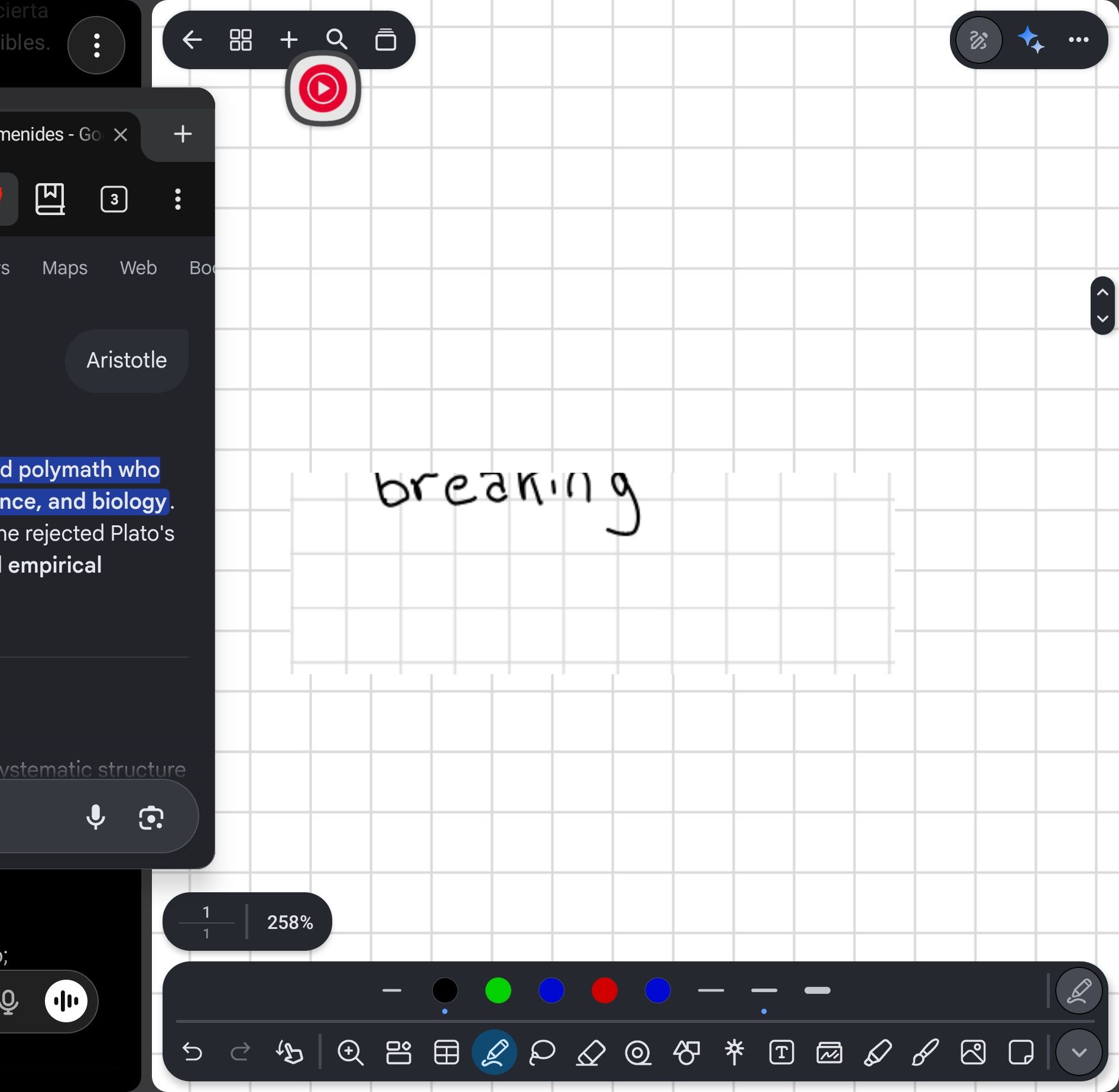
I usually use the "open in split view" feature to have two Notewise windows side-by-side in landscape mode, and I think the bugs might be tied to that. As you can see in the attached image, the zoom glitch is happening while in split screen, but as soon as I made Notewise full window size, the bug went away. I do remember it happening at least once in full screen before too, but split view and window resizing definitely seem to trigger or affect it.
Hopefully this extra info helps track down the root cause!
- Post type
- 🐛 Bug
Log in to comment and vote
No comments yet
Be the first to share your thoughts.