Stop hovering Xiaomi Smart Pen from drawing
Hi Notewise team,
Thanks for the great app! I'm running into a handwriting bug that makes my notes hard to read.
Issue: Notewise draws ink while the pen is only hovering above the screen, not touching it. This causes two problems:
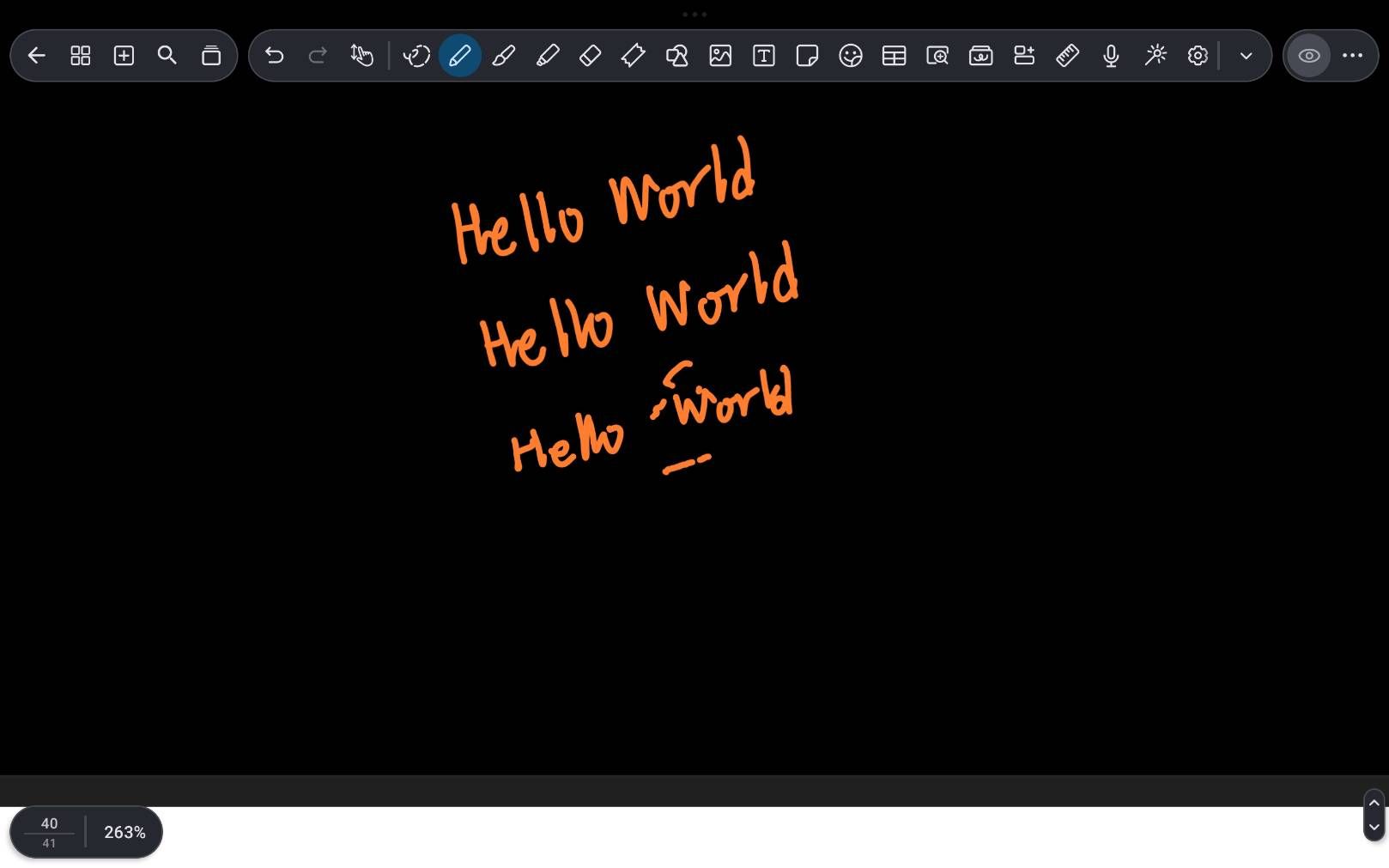
Random dots and short dashes appear near my writing (see the third line in the attached screenshot, around the word "World"). The pen was hovering at those spots, not touching the screen.
Sometimes a straight line connects the end of one stroke to the start of the next, even though I lifted the pen in between.
Steps to reproduce:
Open any note and select the pen tool
Write a few words with separate strokes (e.g. "Hello World")
Lift the pen between letters and move it close above the screen before writing again
Expected: Ink appears only when the pen tip touches the screen.
Actual: Hovering near the screen sometimes leaves dots, dashes, or connecting lines.
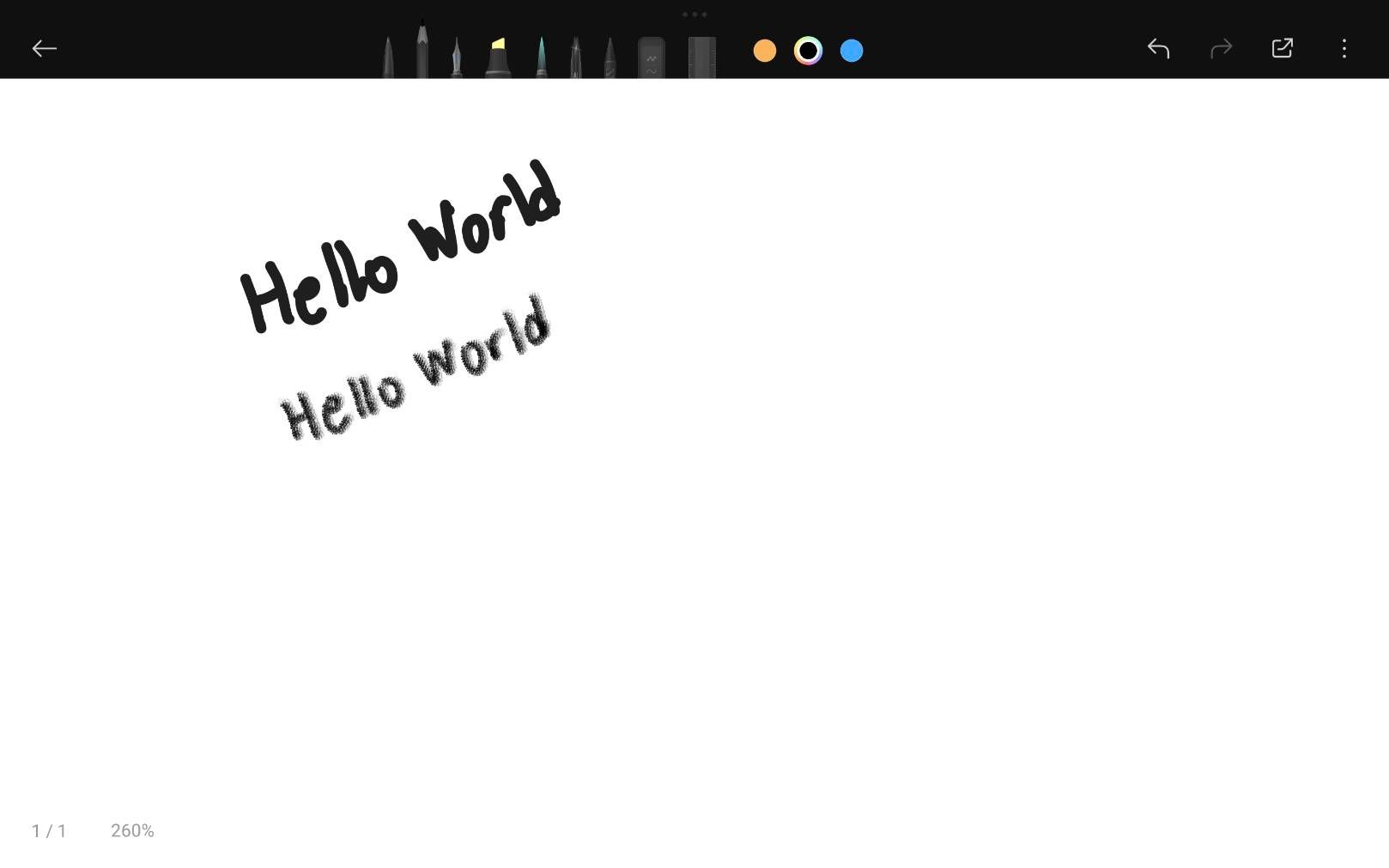
Comparison: The same pen on the same tablet works perfectly in Mi Canvas. Writing the same words there gives no stray marks and no connecting lines (screenshot attached). So the pen hardware seems fine, and the issue appears to be specific to how Notewise handles hover events.
Device info:
Tablet: Xiaomi Pad 6
Stylus: Xiaomi Smart Pen (2nd gen), official
OS: 2.0.16.0UMZMIXM
Notewise version: 4.1.11
Attached: screenshots from Notewise and Mi Canvas, and a screen recording of the issue.
Thank you!
- Post type
- 🐛 Bug
Log in to comment and vote
Comments1
Tomato Oak
Nov 12